
The Lobby mobile app is now available on TestFlight. Everything you love about Lobby, now in your pocket. Get early access
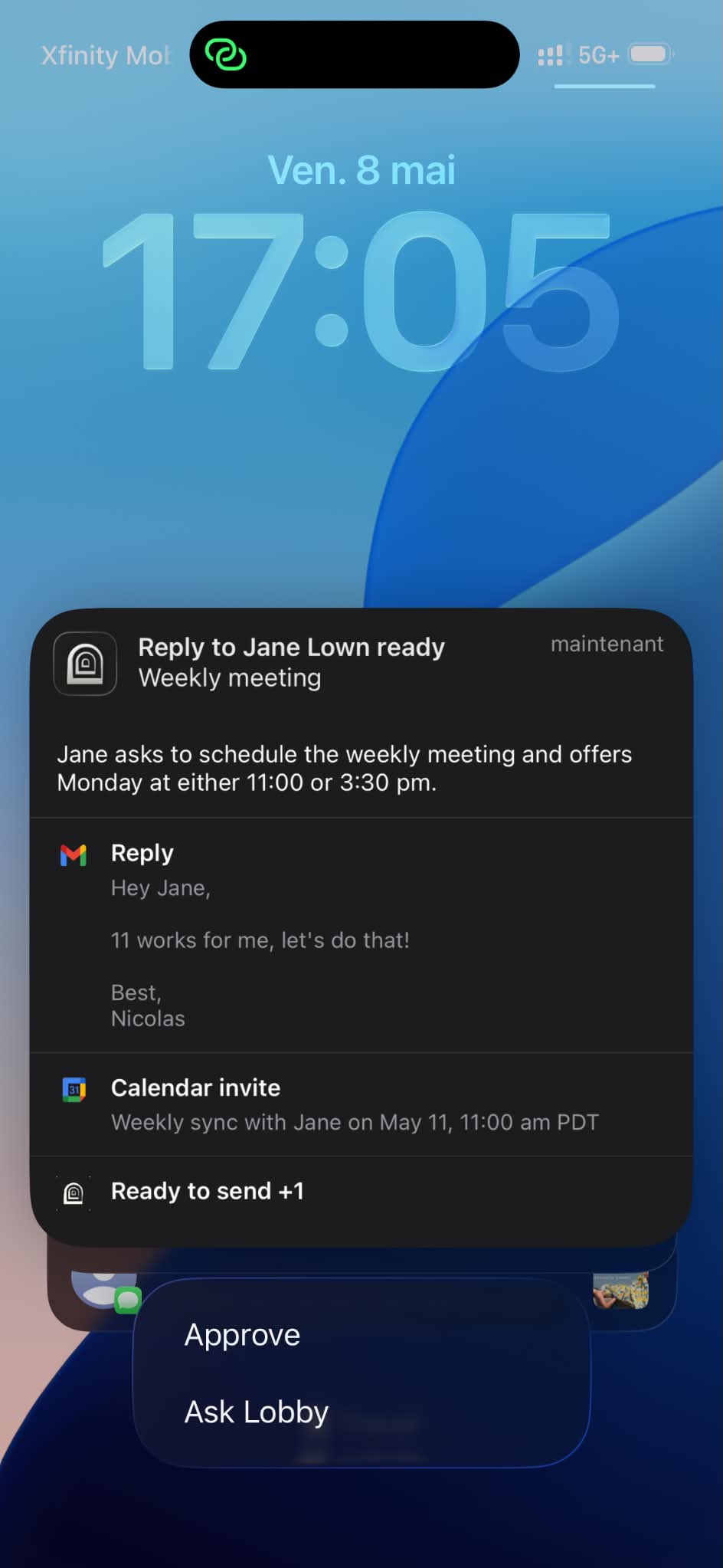
- Improved how Lobby understands and responds to your requests
- Fixed an issue where Lobby would regenerate a previously sent email instead of following new instructions
- New keyboard shortcut to send messages
- You can now change the subject line and use hyperlinks in draft emails
- Deleting a request no longer requires minimizing the page first
- Toast notifications no longer stack when sending
- Action suggestions no longer disappear when clicking on a label
- Side panel properly resets when navigating away
- Gmail actions taken outside Lobby now sync back properly
- Fixed "Ready to archive" label incorrectly showing instead of "Ready to send"
- "Email ready" notification now clears after you click on it
- Added a pre-connect permissions screen before Google OAuth
- Fixed search getting stuck on the last query after exiting
- Closing Ask Lobby no longer accidentally closes the search panel
- Filter button now correctly shows "All" instead of "Full Brief"
- Improved Quick Read contrast and readability
- Clearer indication in Done that an email has been sent
Talk to Lobby with voice input. Conversations now maintain context with assistant threading. And new iOS-style swipe controls for your inbox.
- Voice input — you can now talk to Lobby
- Email thread context — Lobby sees the full conversation when helping you
- Design refresh — top bar, chat input, and popup sizing
- "Waiting resolution" no longer shows a false success indicator
- Removed unnecessary "save preferences" prompts
- iOS-style swipe controls for emails
- Improved draft support for messages and events
- Better label management controls
- Smarter auto-archive titles
- Close button for the Brief page
- Redesigned brief completion popup
- Improved empty state with a clear call-to-action
- Redesigned search experience
- Updated command center
- Improved Quick Read
- New settings page
- Assistant threading — conversations maintain context
- Fixed login on Safari
Invites auto-queue when emails imply meetings. Google Meet links, conflict detection, and time slot suggestions — all fixed and improved.
- Invites now auto-queue when an email implies a meeting
- Fixed silent failures where invites appeared sent but weren't delivered
- Google Meet links correctly added to invites
- Fixed false unavailability caused by pre-booked events
- Time slot suggestions now available for intros and Ask Lobby
- Calendar events now appear in the Done section
- Conflict detection when you're unavailable
- Refined chat input and reduced popup width
- Replaced toast CTAs with expand/open buttons
- Cleaner interface — removed step embed
- You can now add attachments
- Intro emails now correctly use BCC
- Responses are more concise
- Contact popup fixed — copy/paste works, popup stays in place
- Links now open in a new page
- Ask Lobby properly resets between messages
- Better guidance when setting preferences
- Fixed text getting cut off
- Loading state for Brief display
- Refined icon weight across surfaces
- Updated mobile app design
- ⌘K shortcut works alongside the new 3-dot menu
- Email expand from the panel with an action bar
- Embedded contacts in email view
- Fixed forward function
- Redesigned notification system
- New date picker
- Updated command center and desktop app
- Fixed missing line spacing in generated emails
- Action count now shows pending items correctly
- Empty search results now display a helpful message
New guided tutorial at sign-up, conversation history in Ask Lobby, and Superhuman-style keyboard shortcuts throughout the app.
- Guided first-time tutorial with confirmation prompts
- More labels suggested during sign-up
- "Add preference" and "Start Brief" made more discoverable
- Fixed preference editing not saving
- Rules & Preferences UX made clearer
- Conversation history — access past conversations
- Lobby now shows which thread it's working on
- Chat displays directly instead of showing a working toast
- Navigates to the email after a request
- New filter button
- Brief completion popup
- Verification codes displayed in the summary with copy support
- Fixed invite proposals before a meeting is confirmed
- Calendar links from signatures no longer leak into generated emails
- Event locations now respected instead of defaulting to Google Meet
- Shorter, better organized event descriptions
- Meeting accepted notifications removed from Action Required
- Fixed duplicate draft generation on new replies
- Removed em dashes from drafts
- Improved label suggestion accuracy
- Superhuman-style keyboard shortcuts
- ⌘K available in auto-archived emails
- Connect another account from email dropdown
- Harmonized landing page and product design
- Unified UI details across the product
- Redesigned popups and undo position
- Rewrote "How it works" on the landing page
Connect more than one email account to Lobby. Plus a fully redesigned onboarding and a more centralized navigation.
- Multiple account support
- Streamlined navigation — more centralized experience
- Centralized Gmail and Calendar connection loader
- Faster, more reliable processing
- Email list shown by default when starting Brief
- Fixed Reply All button
- New format with conversation history
- Onboarding redesigned from the ground up
- Updated calendar invite and meeting invite design
- Lobby now correctly identifies when you made an introduction
- Attachments display properly in Done conversations
- CC and BCC properly injected into messages
- Email deliverability checks added
- Updated flow with improved clarity
- Privacy Policy and Terms of Service published
- Database query optimization
- Improved sync reliability
- Merged notifications for email sent + follow-up steps
- Suggested context feature
- Memory improvements for persistent context
A new search feature, keyboard shortcuts for reminders and labels, and an agent that asks for context proactively instead of guessing.
- New search feature
- Keyboard shortcuts for reminders and labels
- Lobby now asks for context proactively
- Memory saves on request
- Better corporate logo retrieval
- Improved change email flow
- Contact tooltip now stays on hover and is clickable
- Fixed search and email display bug
- Fixed addresses incorrectly counted as errors
- Events now display time slots smaller than 15 minutes
- Snooze improved — re-displays assistant's work
- Updated shortcut list
- New icon animation for navbar
- Notification count on assistant
- Improved buttons and billing portal
Google Sign-in and passwordless authentication. A simplified onboarding to get you started faster. And significant performance improvements under the hood.
- Google Sign-in + passwordless authentication
- Simplified onboarding
- Significant performance improvements
- Lobby dynamically rethinks plans and asks for context proactively
- Fixed false positives for event drafts
- Fixed login from desktop app for Google sign-in
- Redesigned email chips with contact info